With Awesome Drop you can transfer files from your PC to your Android Device
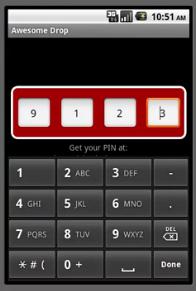 Fast, free and simple, these are the three words that best describes the Awesome Drop application. With this app you can transfer any file from your computer to your Android device with the PC browser.
Awesome Drop works fast and saves a lot of time, all you have to do is to install the app, which is available for free download at Android Market (see QR code on the end of post), type the http://labs.dashwire.com on your browser, enter the PIN code in Awesome Drop window and you’re done. Now you can select files from your computer, drag and drop files, and that’s all folks. Enjoy!
This application is free and you can download it without register, just enter the 4-digit numbers. Supports any file format, and the uploaded files are saved on a microSD card in “drop” folder.